Accessibility
Updated November 19, 2026
The FamilyFi app for iPhone, iPad and Apple Watch, and FamilyFi Me on your child's iPhone or iPad, follow the accessibility settings on your device. This page says what works today and what we're still working on.
At a glance
- Larger Text: works in both apps and on Apple Watch.
- Dark Mode: works in both apps. The watch app is always dark.
- Sufficient contrast: works in both apps, in light and dark.
- Not by color alone: works in both apps and on Apple Watch.
- Reduce Motion: works in both apps and on Apple Watch.
- VoiceOver and Voice Control: not tested yet. See what we're working on.
- Captions and audio descriptions: neither app plays video or sound.
Larger Text
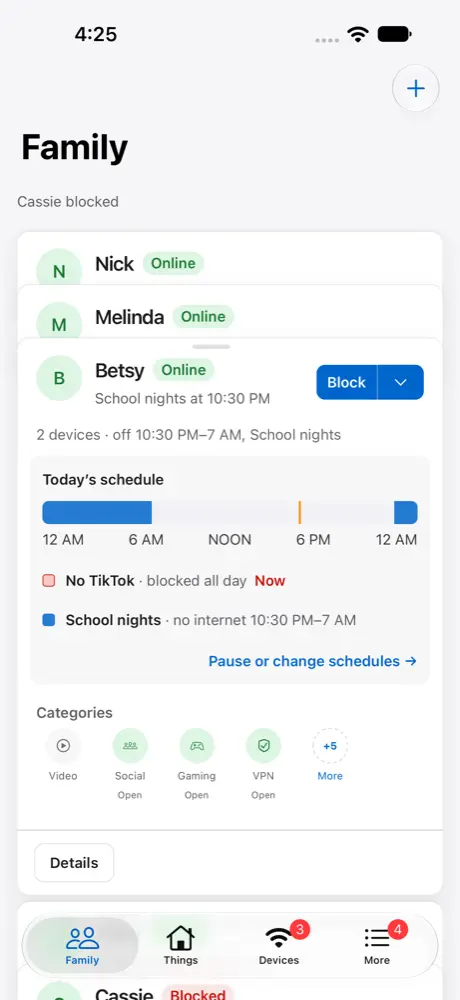
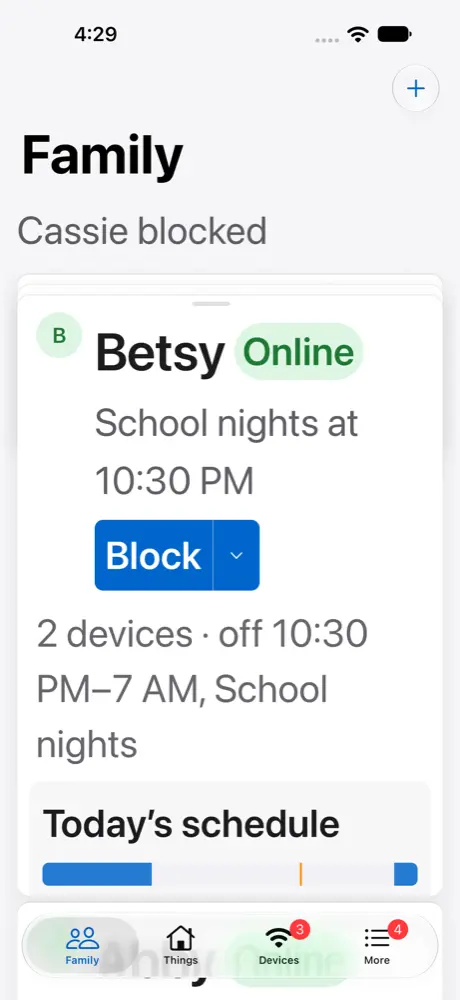
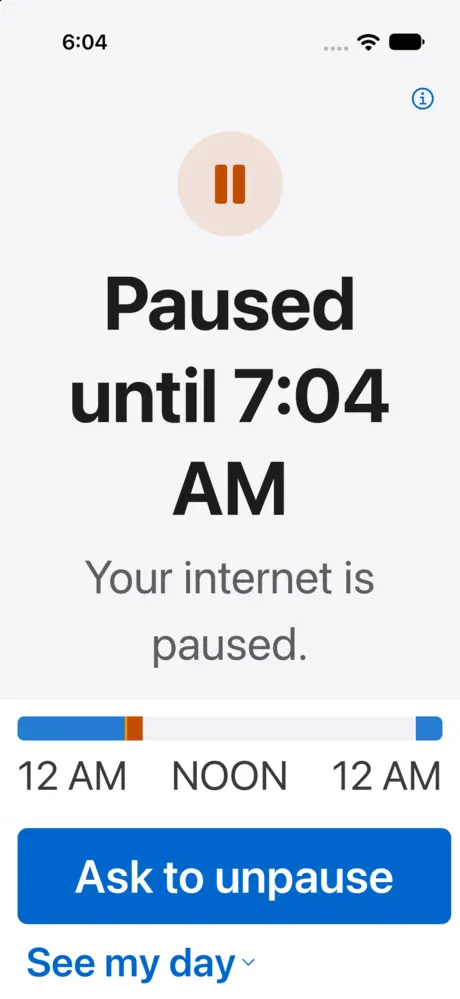
Both apps use the text size you choose in Settings › Accessibility › Display & Text Size › Larger Text, up to the largest accessibility sizes. As text grows, a card's buttons stack and its lines wrap rather than being cut off. The watch app uses the text size set on Apple Watch.
Dark Mode
Both apps follow your iPhone or iPad's Light, Dark or Automatic appearance. There's no separate setting to change.
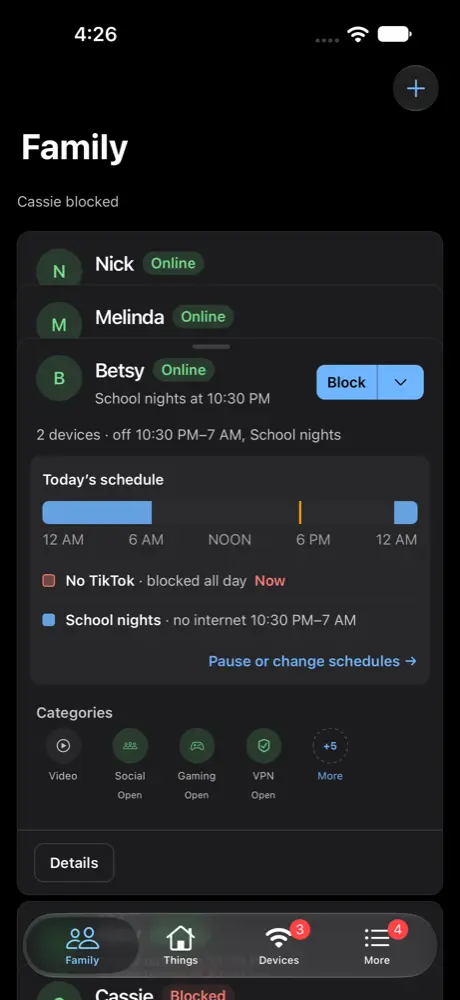
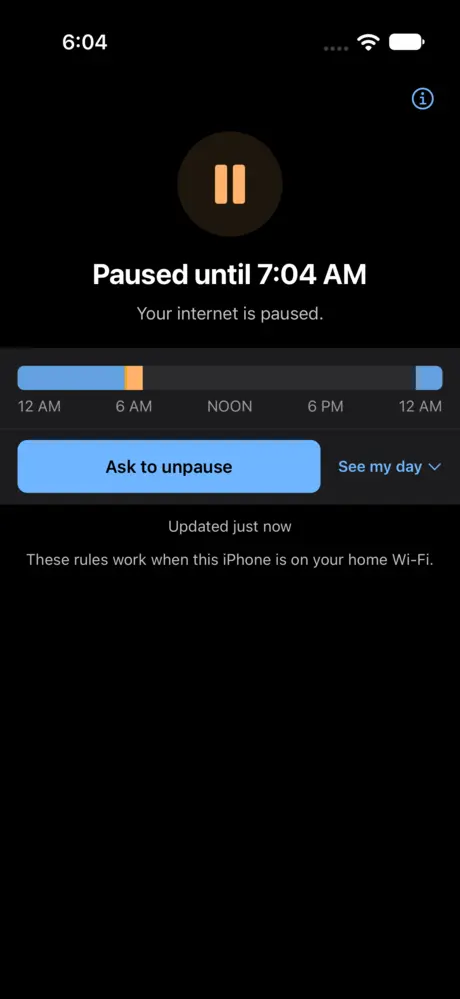
Not by color alone
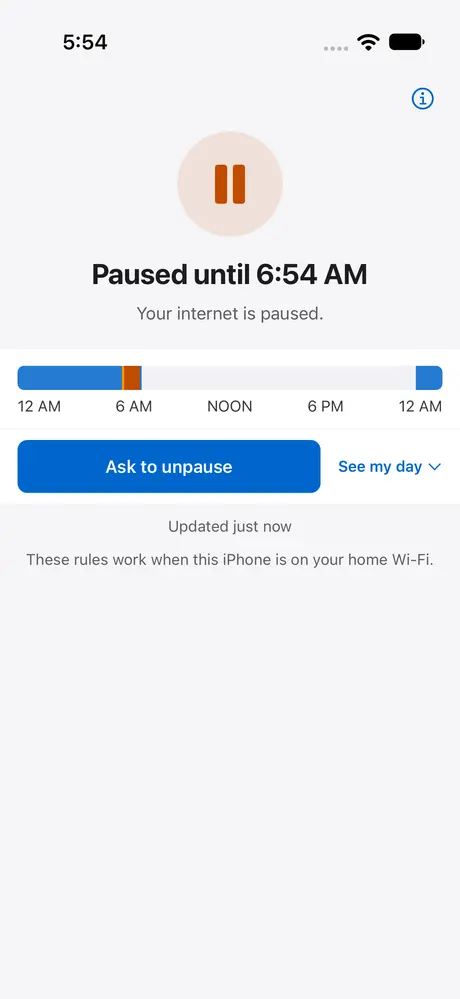
Every state is written out in words, such as Online, Blocked and Paused until 7:04 AM, next to its color. Under the colored bar for the day's schedule, each rule is listed by name with its times.
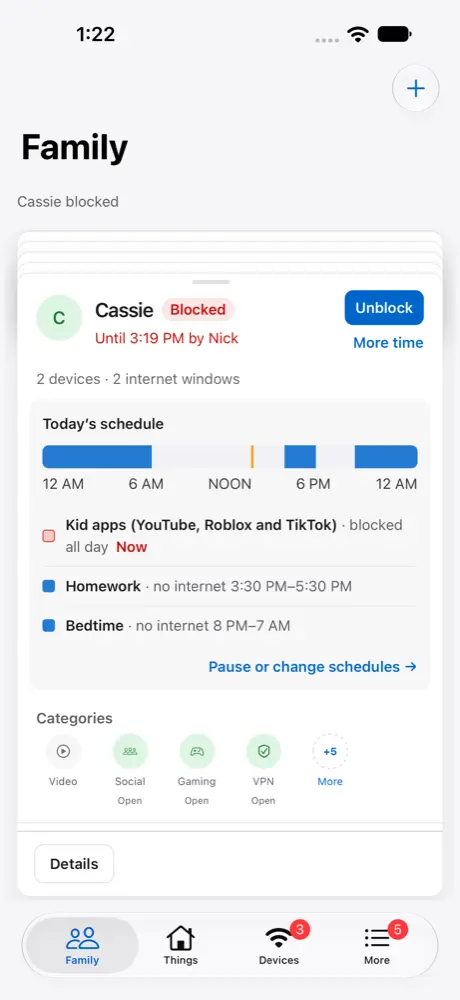
Contrast
The colors both apps use for text are at least 4.5 to 1 against its background, the WCAG 2.1 AA level, in light and dark.
Reduce Motion
With Reduce Motion on, FamilyFi's stack of cards fades into place instead of springing. FamilyFi Me and the watch app have no animations of their own.
FamilyFi on the web
Every page of FamilyFi on the web is checked against WCAG 2.1 A and AA by automated tests, on desktop and phone sizes. It follows your browser's reduced motion setting.
What we're working on
VoiceOver and Voice Control. We haven't yet tested every task using only VoiceOver or Voice Control, so we don't claim them yet. If something doesn't read or respond the way you expect, please tell us.
Tell us
If something in FamilyFi or FamilyFi Me is hard to use with your settings, email [email protected] with "Accessibility" in the subject. Say which device and app you were using and what happened.